Three tools, one workflow. Built for trainees without breaking how experts already worked.
A lab machine ran on 3 separate software tools. Trainees jumped between them, made errors, and needed months of training to learn them.
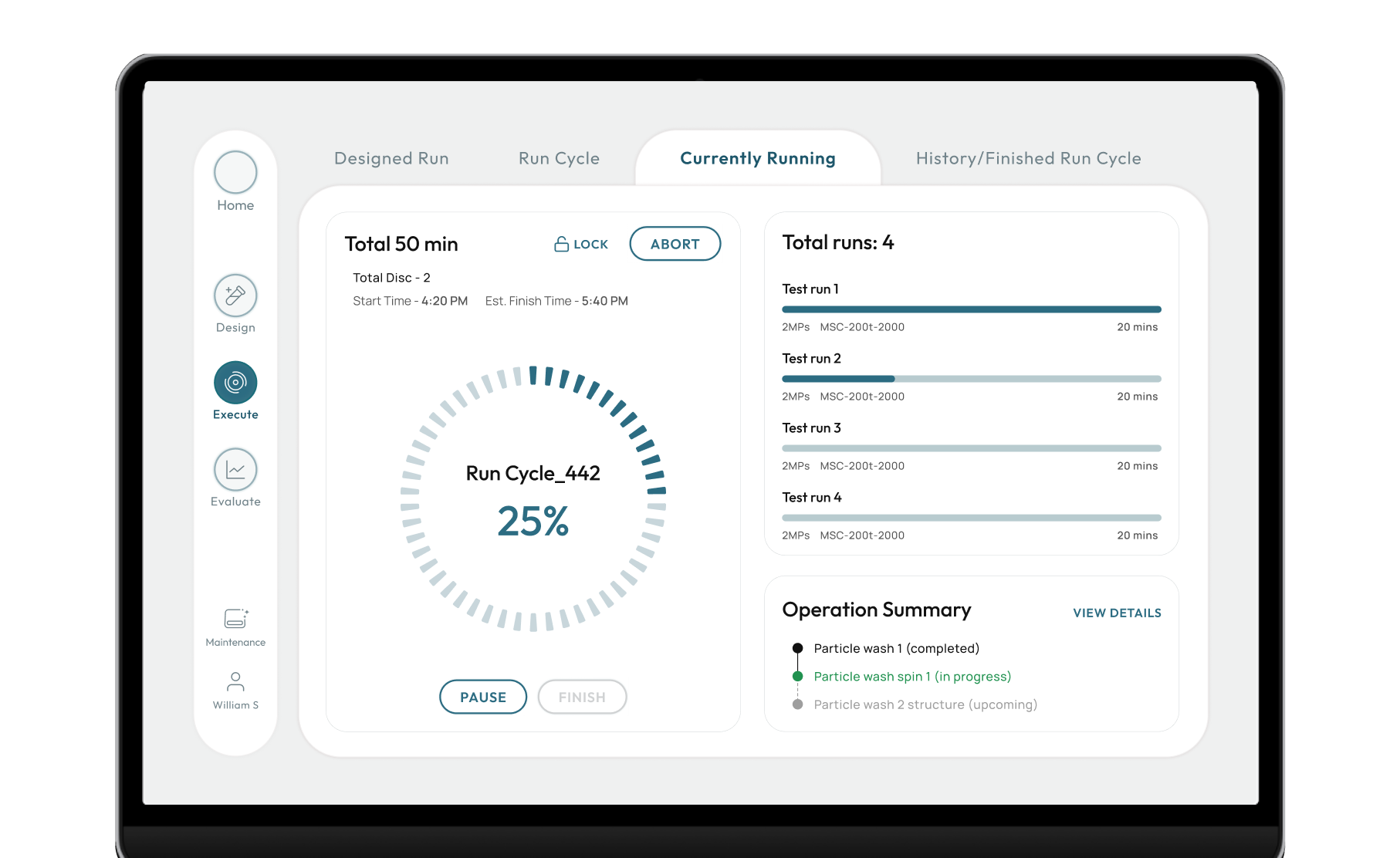
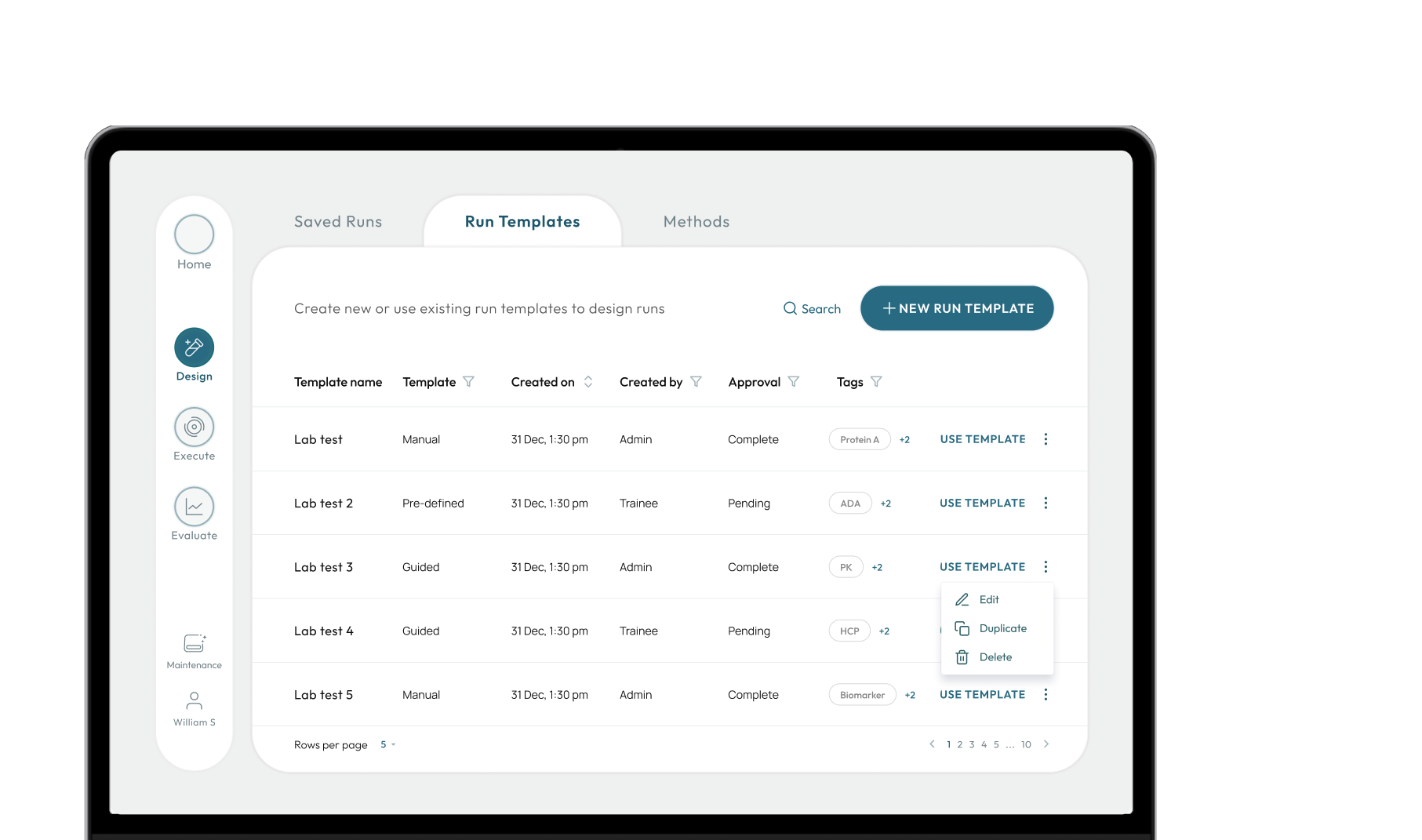
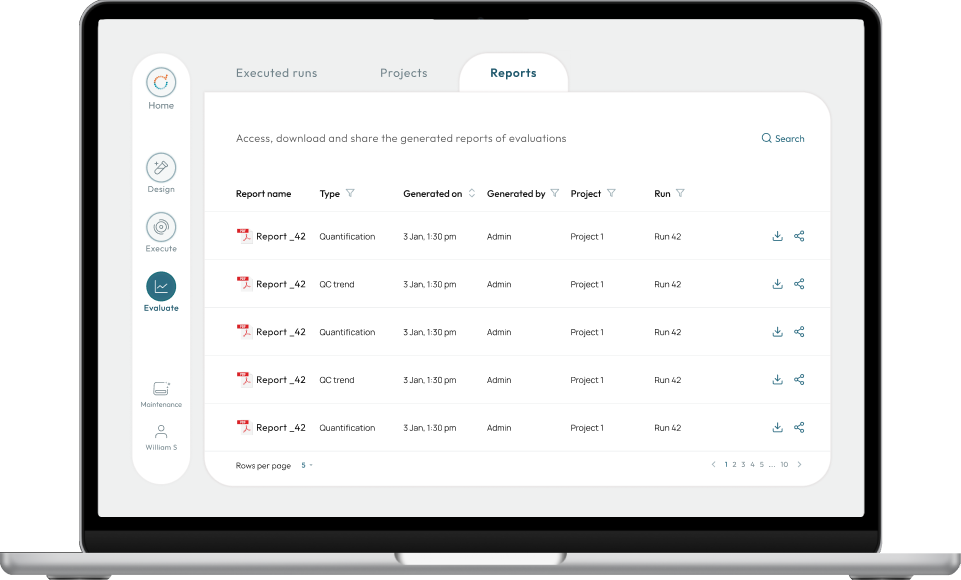
3 tools > 1 software having 3 modes: Design, Execute, Evaluate.
Experts keep their habits, trainees stop switching.
Improved workflow efficiency
for trainees by 42%
for experts by 32%
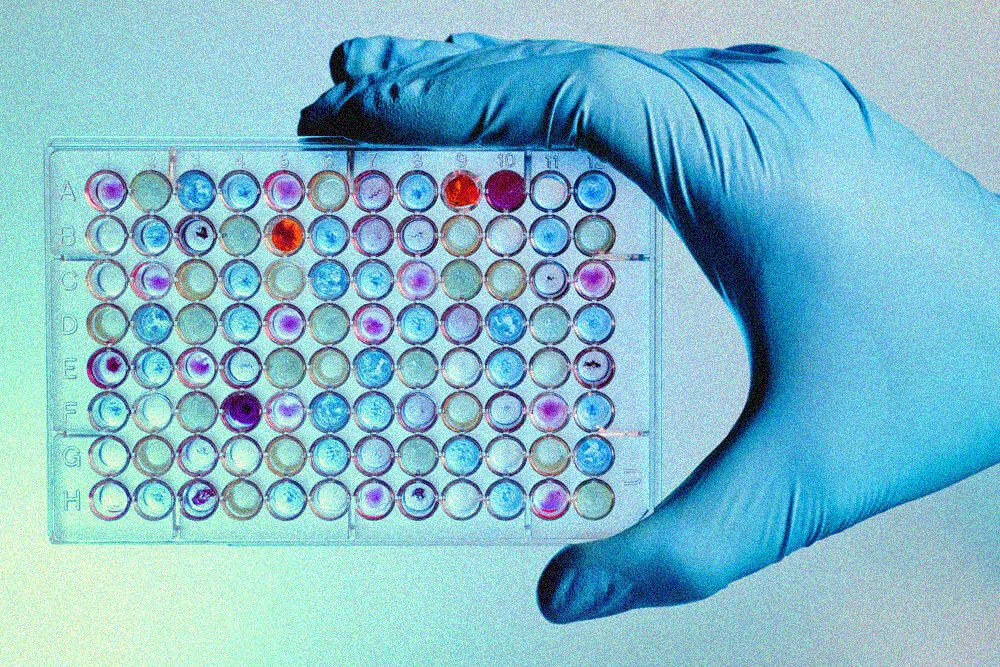
A research lab uses a machine to test protein samples in bulk.
Someone designs an experiment, commands the machine to run it, then studies the results. Three specialised software tools cover those three jobs.
A life-science company that builds protein bulk-testing machines and the software that automates them. It sells to enterprise: laboratories, research centres.
Over eight years its software grew into three separate tools. The company asked engineers to streamline it first. They tried and couldn't solve it. So we came in. It wasn't a data problem. It was a human one.
Experts coped navigating scattered data out of habit. But trainees still learning the software paid the price.
software tools for one machine
months (estimated) for trainees to learn 3 tools
cost of error. 1 misread setting leads to wastage of resources
Data overlap, inconsistency created confusion. Impacted efficiency
Data sat across different tools with varying names. If one tool handled two tasks, another handled those two plus a third. Daily tasks were cluttered. Rarely used actions and custom controls sat next to daily ones.
Built for 2 users, but it only served the experts.
Experts coped out of habit. Trainees had to learn the compromised flow from scratch.
High cost of error
Errors were more common for trainees. One misread setting could waste resources and leave a ghost result: no trace of what went wrong. That is why training was so extensive.
A system so complex. Users couldn't explain it as a whole.
Fragmented knowledge
In 3 walk-throughs, every stakeholder knew their own part and couldn't explain the system.
Time pressure
Limited research and execution time. Pressure from investor to launch.
Open brief
The brief was open. I shaped it with them
I learnt the lab system by
using it, deconstructing it and asking specific questions.
Breaking it down
With a 130-page manual and access to their training simulator, I took screenshots of each button and their reaction.
Understand by task and priority mapping
I tracked what data each experiment ticket (the record that moves from Design to Evaluate) carried before and after every step. I compared which details mattered most, then built the data and user flow.
Show and tell. Co-creation with clients
I went through the data and task flow with specific questions. These got me insights that shaped my design decisions.
One workflow, three modes: Design, Execute, Evaluate.
Consistent terms for experts & trainees.
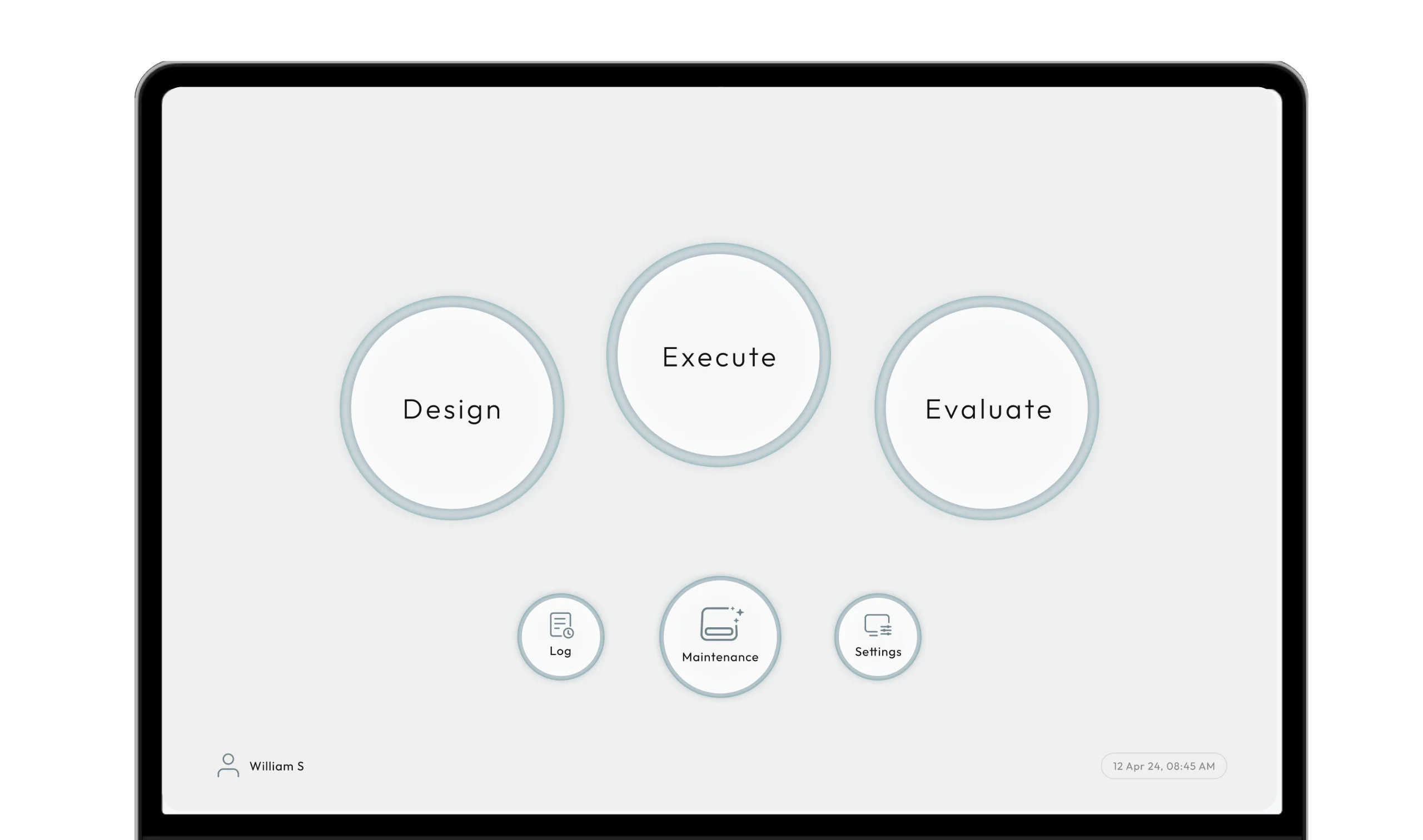
Roles blur. One person designs, runs & analyses. Or three people do.
An expert (scientist) might design an experiment, a technician runs it in another room, and an analyst studies the results. Or one person does all three tasks.
Task based workflow as one size fit for varying users
I skipped role-based views and built task-based modes. This fits single or multiple users for one workflow. Three modes: Design, Execute and Evaluate.
No juggling between tools. No confusion. An experiment moves in one line through the 3 modes.
Same mental model, so experts didn't have to relearn, and trainees got one workflow without jumping between tools. The ticket keeps the same terms in every mode, which gave both users a common vocabulary.